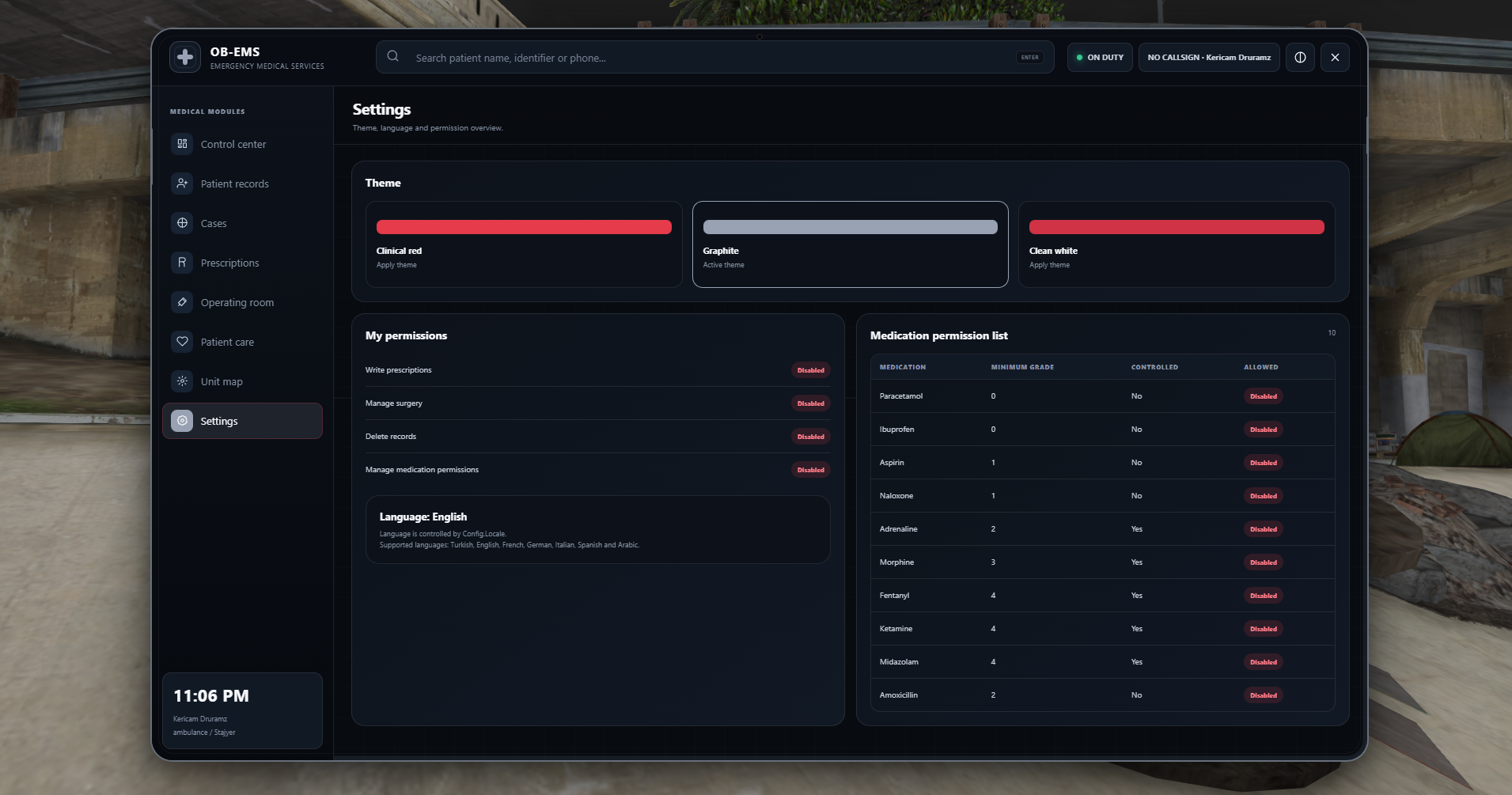
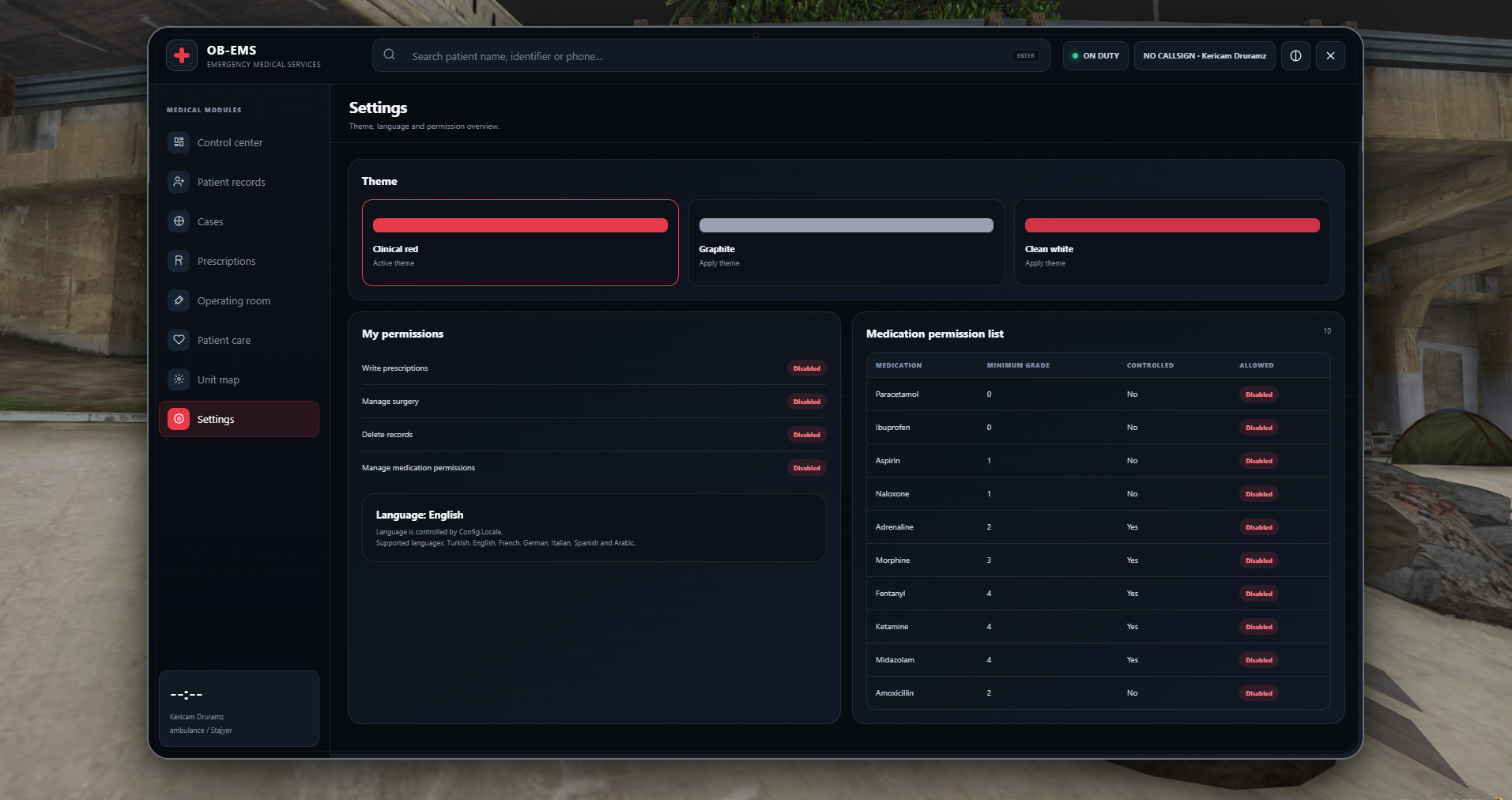
OB-EMS Tablet
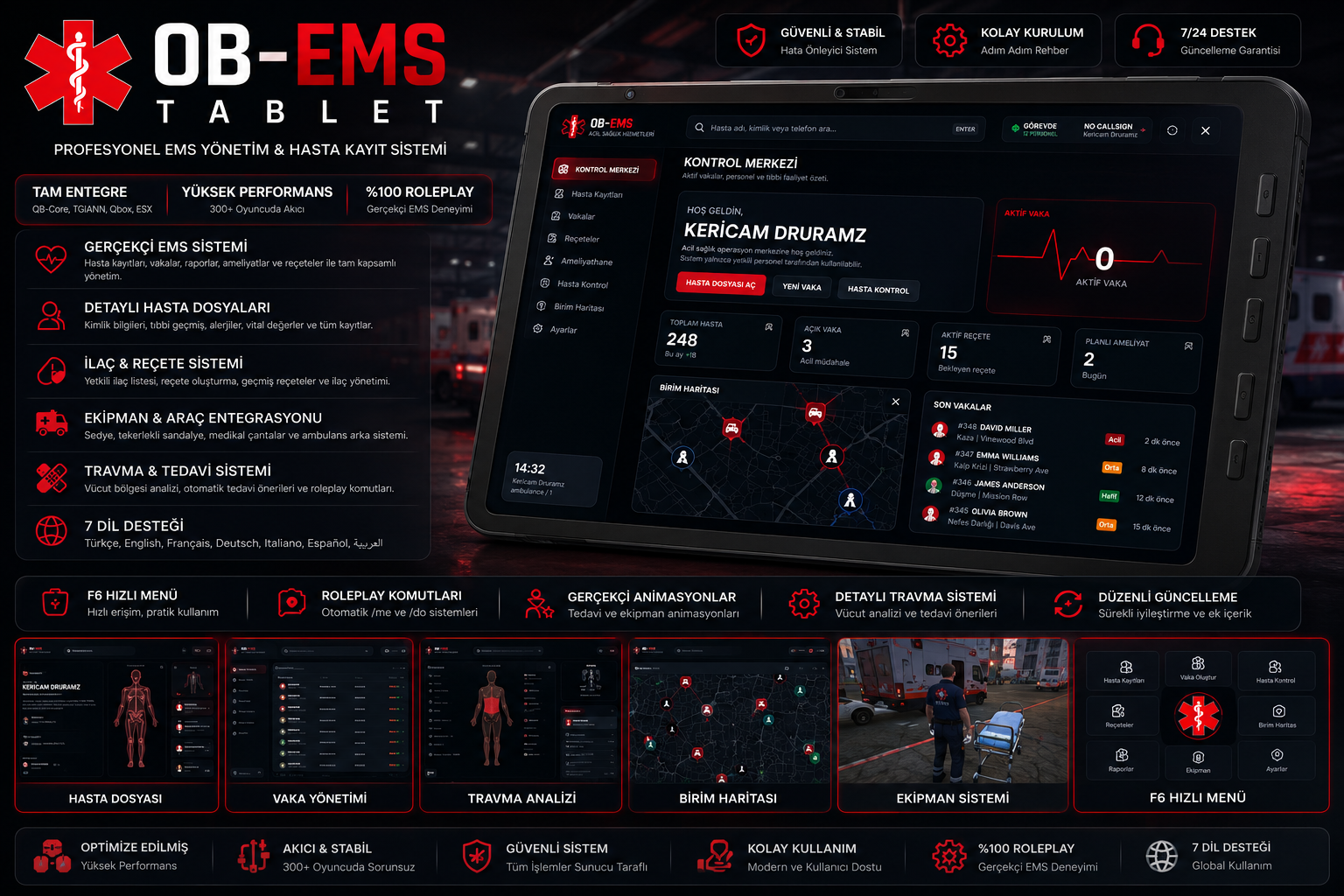
OB-EMS is a comprehensive EMS management and patient records system developed for FiveM servers. It combines everything an EMS department needs, including patient records, incident management, prescriptions, surgery management, trauma analysis, and unit tracking, within a modern and user-friendly tablet interface.
With OB-EMS, medical personnel can manage incidents more efficiently, access patient histories, document treatment procedures, and control ambulance operations through a single integrated system.
Core Features
Realistic EMS System
Transform your server’s medical roleplay from a basic revive system into a detailed and immersive EMS experience.
- Patient records
- Active incident management
- Medical reports
- Prescription system
- Surgery records
- Treatment and trauma procedures
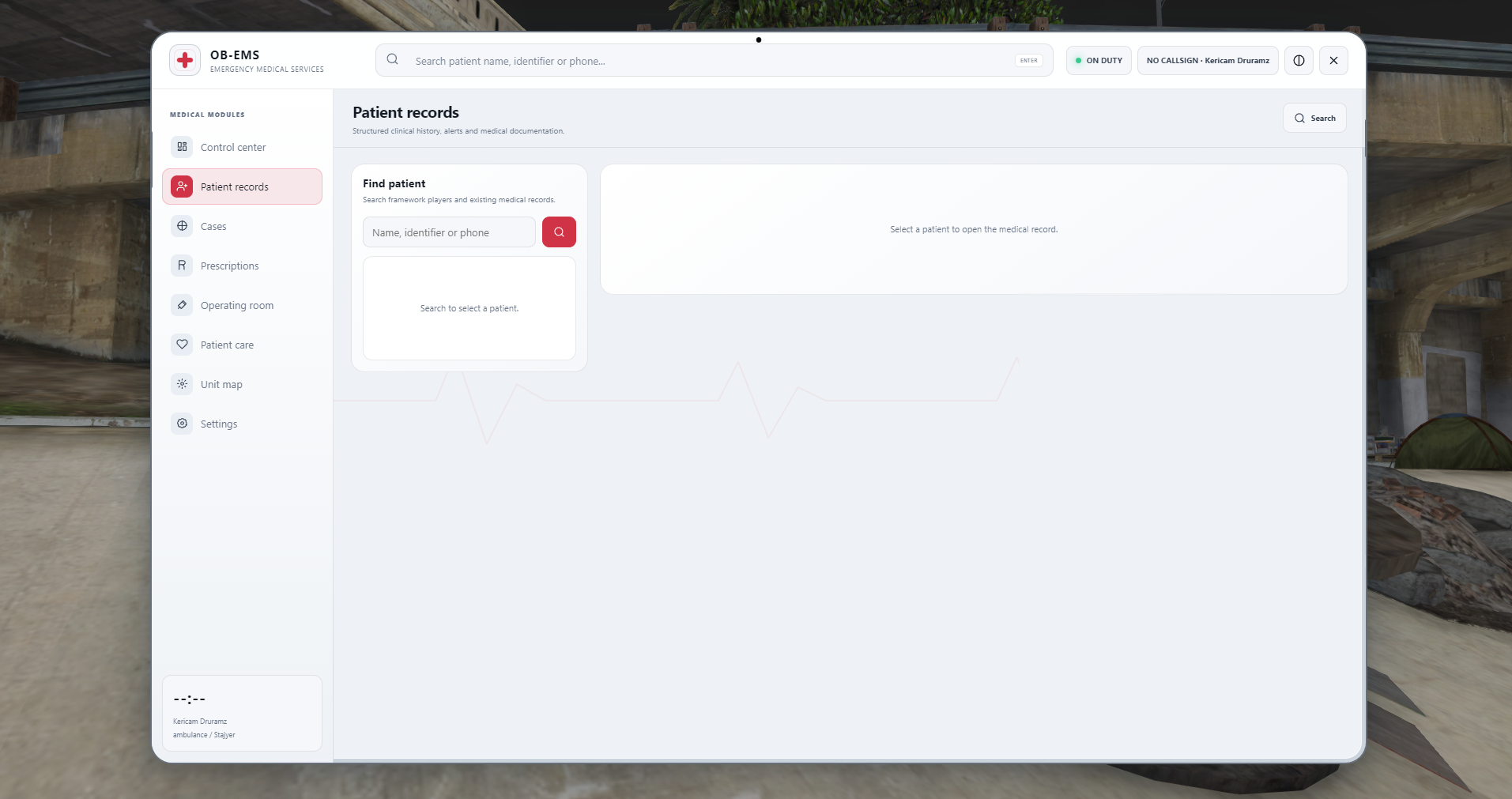
Detailed Patient Records
A comprehensive medical profile can be created for every player.
- Personal and identity information
- Medical history
- Previous incidents
- Allergy information
- Vital signs
- Applied treatments
- Issued prescriptions
- Doctor and medical staff notes
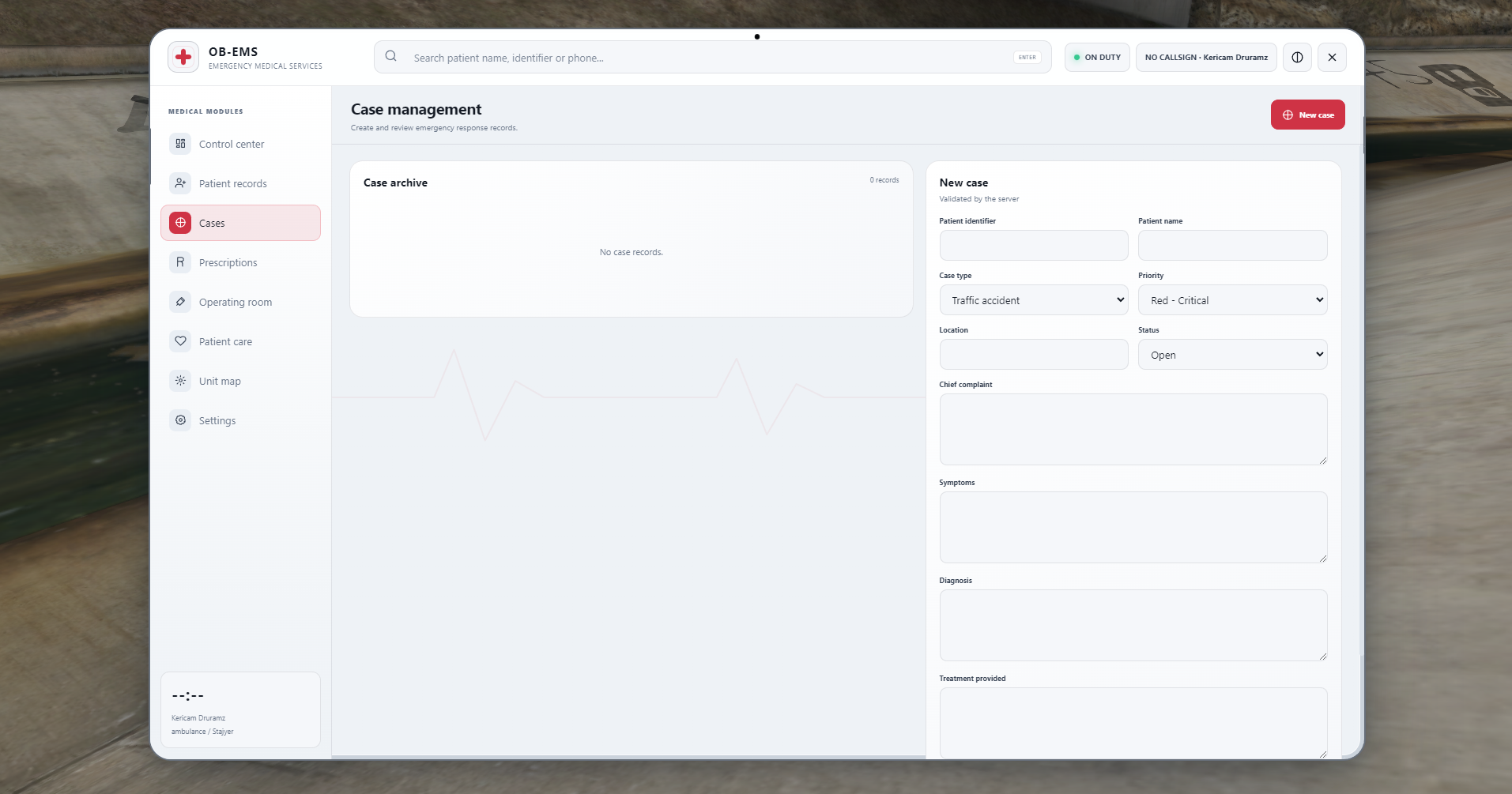
Incident Management System
EMS personnel can create new incidents, monitor ongoing cases, and document completed medical interventions.
- Create new incidents
- Set incident status
- Assign urgency levels
- Assign personnel to patients
- Add intervention notes
- View incident history
- Recent incidents screen
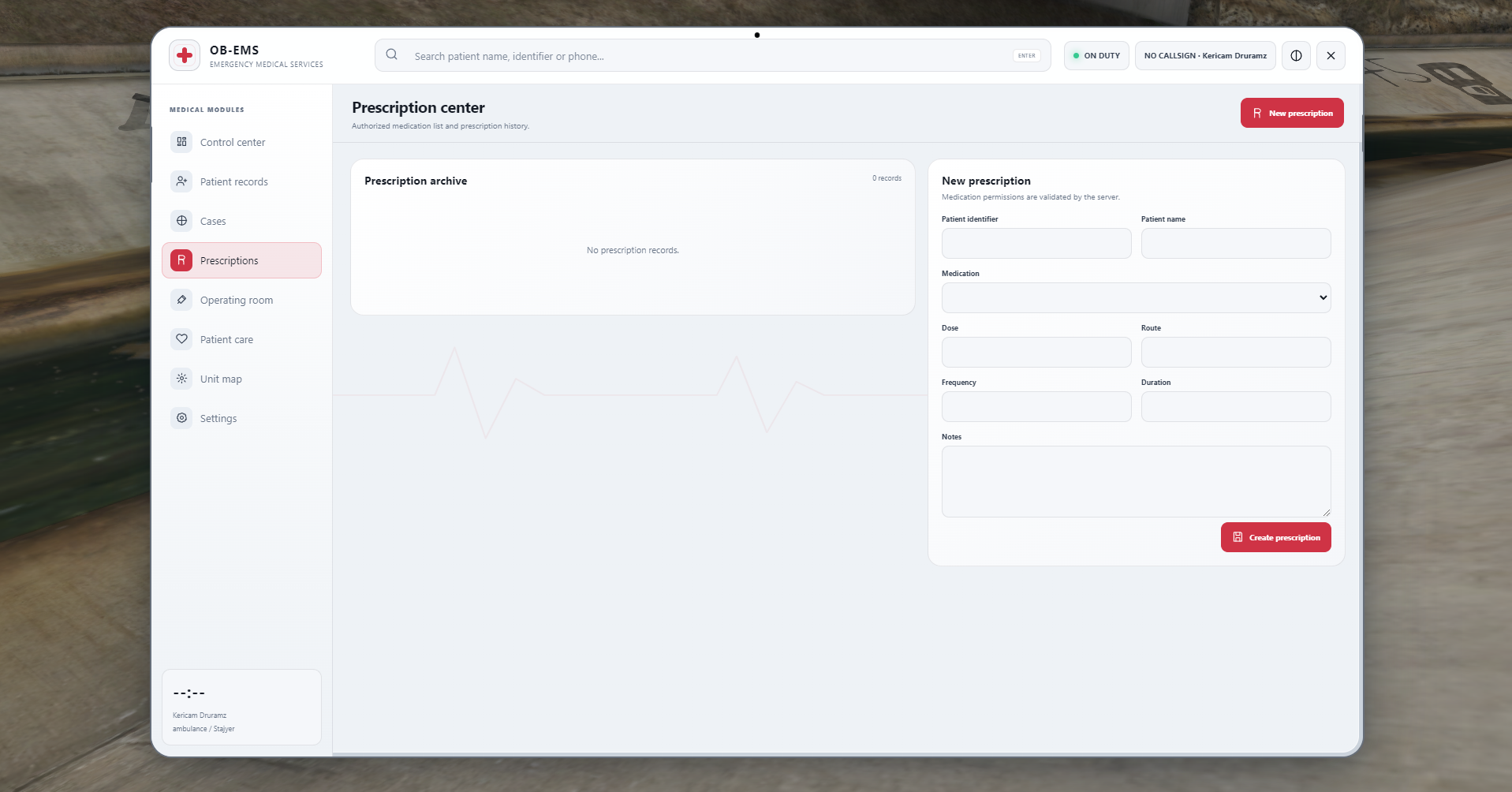
Medication and Prescription System
Doctors and authorized medical personnel can issue prescriptions to patients.
- Medication selection
- Dosage information
- Usage instructions
- Prescription history
- Active prescriptions
- Authorized personnel verification
Trauma and Treatment System
The patient’s body regions can be examined and managed in detail.
- Body region analysis
- Injury visualization
- Trauma severity levels
- Treatment recommendations
- Medical intervention records
- Roleplay command compatibility
Operating Room System
Manage surgical procedures and advanced medical roleplay directly through the tablet.
- Create surgery records
- Schedule planned surgeries
- Add operation notes
- Assign responsible doctors
- View surgery history
- Automatically save procedures to patient records
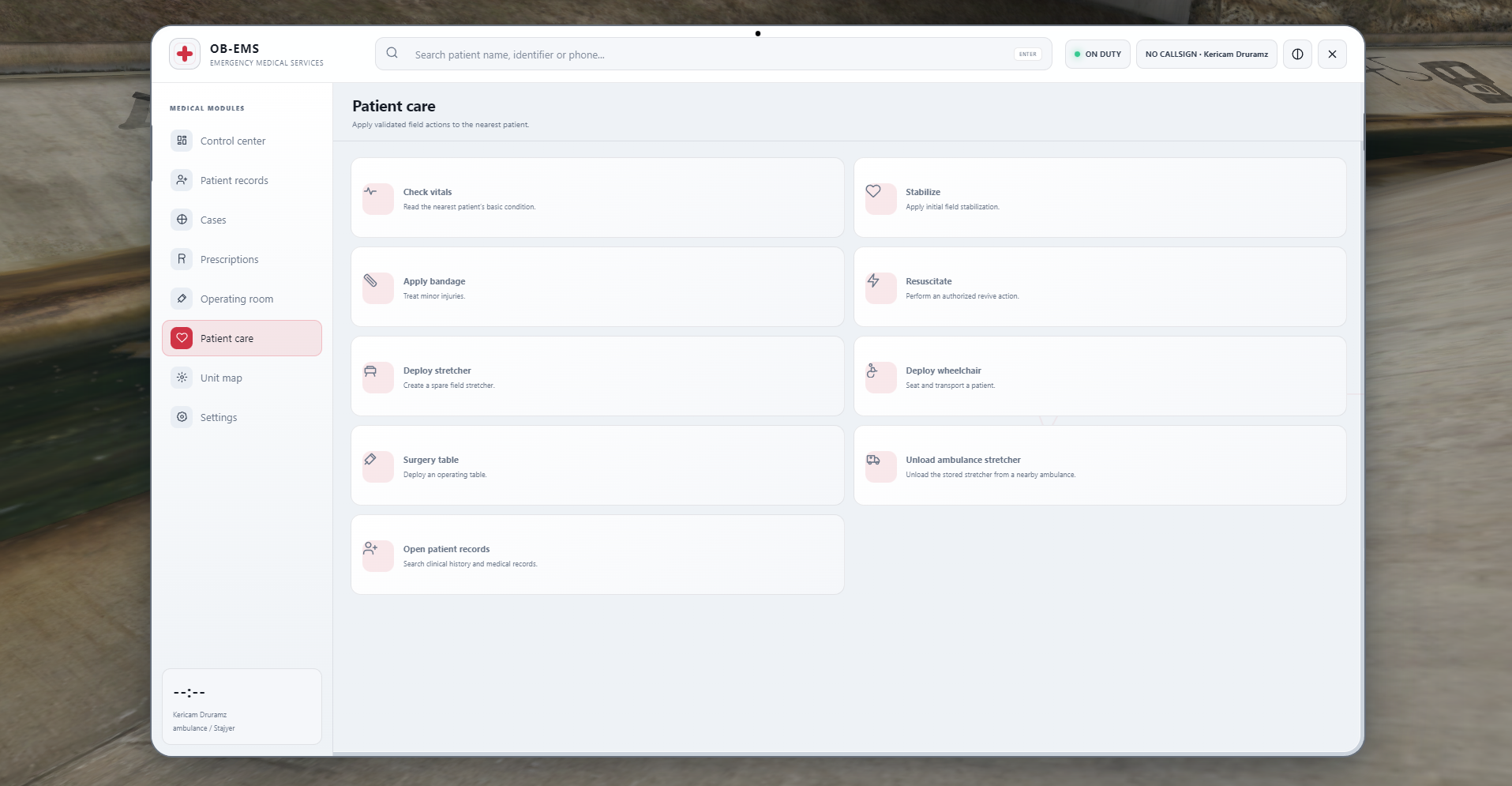
Patient Examination System
EMS personnel can quickly examine and assess patients.
- Consciousness checks
- Pulse checks
- Injury analysis
- Vital sign monitoring
- Treatment procedures
- Direct access to patient records
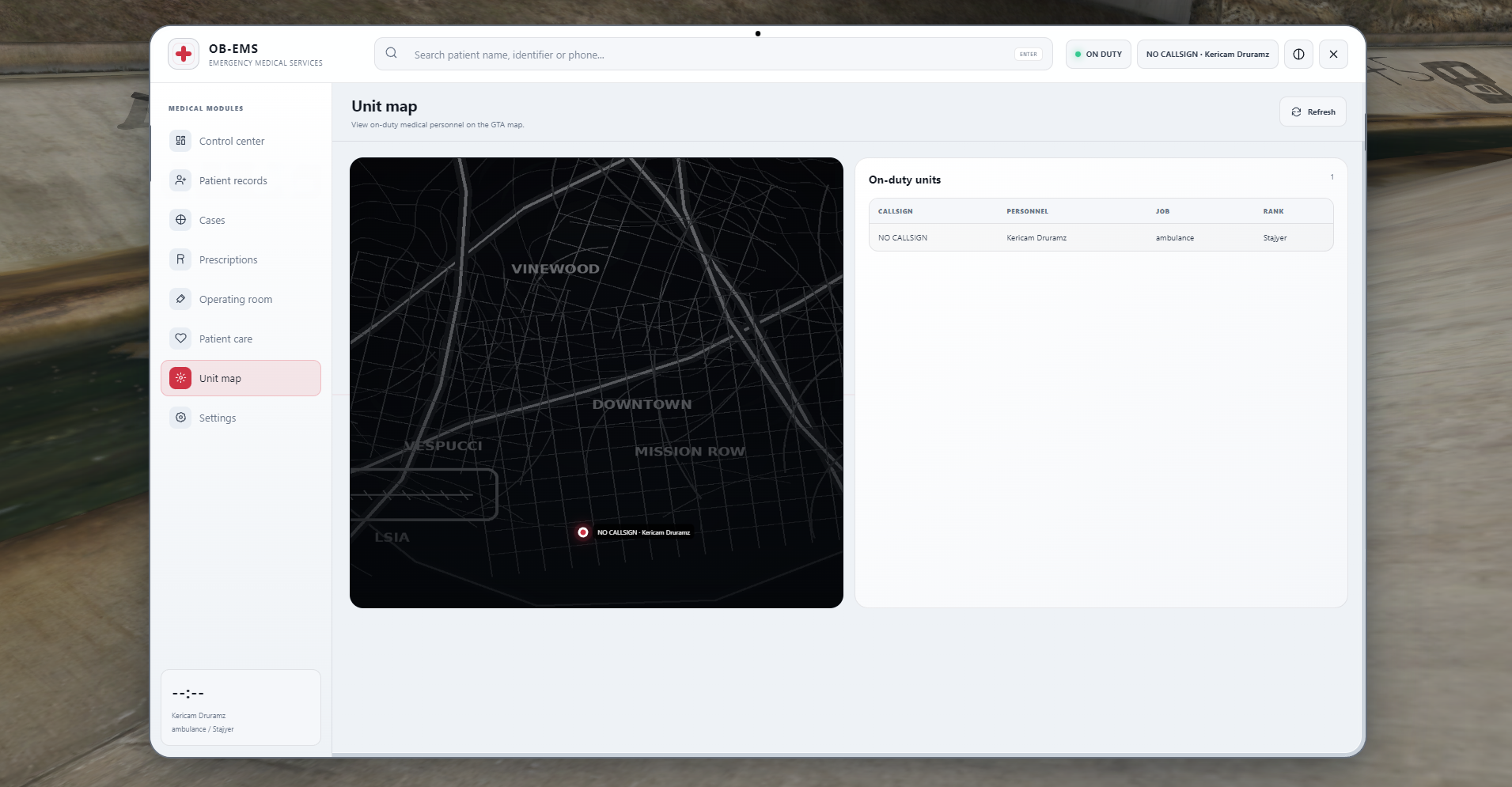
Unit Map
Track active EMS personnel and medical units through an interactive map.
- Active personnel locations
- Ambulance and unit markers
- Hospital locations
- Active incident locations
- Unit status tracking
- GPS navigation support
Equipment and Ambulance Integration
Use essential EMS equipment during medical operations and roleplay scenarios.
- Stretcher system
- Wheelchair system
- Medical bag
- Ambulance equipment
- Equipment animations
- Roleplay-focused interactions
F6 Quick Menu
Medical personnel can quickly access the most frequently used EMS features.
- Patient records
- Create incident
- Patient examination
- Prescriptions
- Unit map
- Reports
- Equipment
- Settings
Roleplay Commands and Animations
Special commands and animations make treatment procedures more realistic and immersive.
-
/me and /do compatible actions
- Treatment animations
- Equipment usage animations
- Patient examination animations
- EMS-focused roleplay interactions
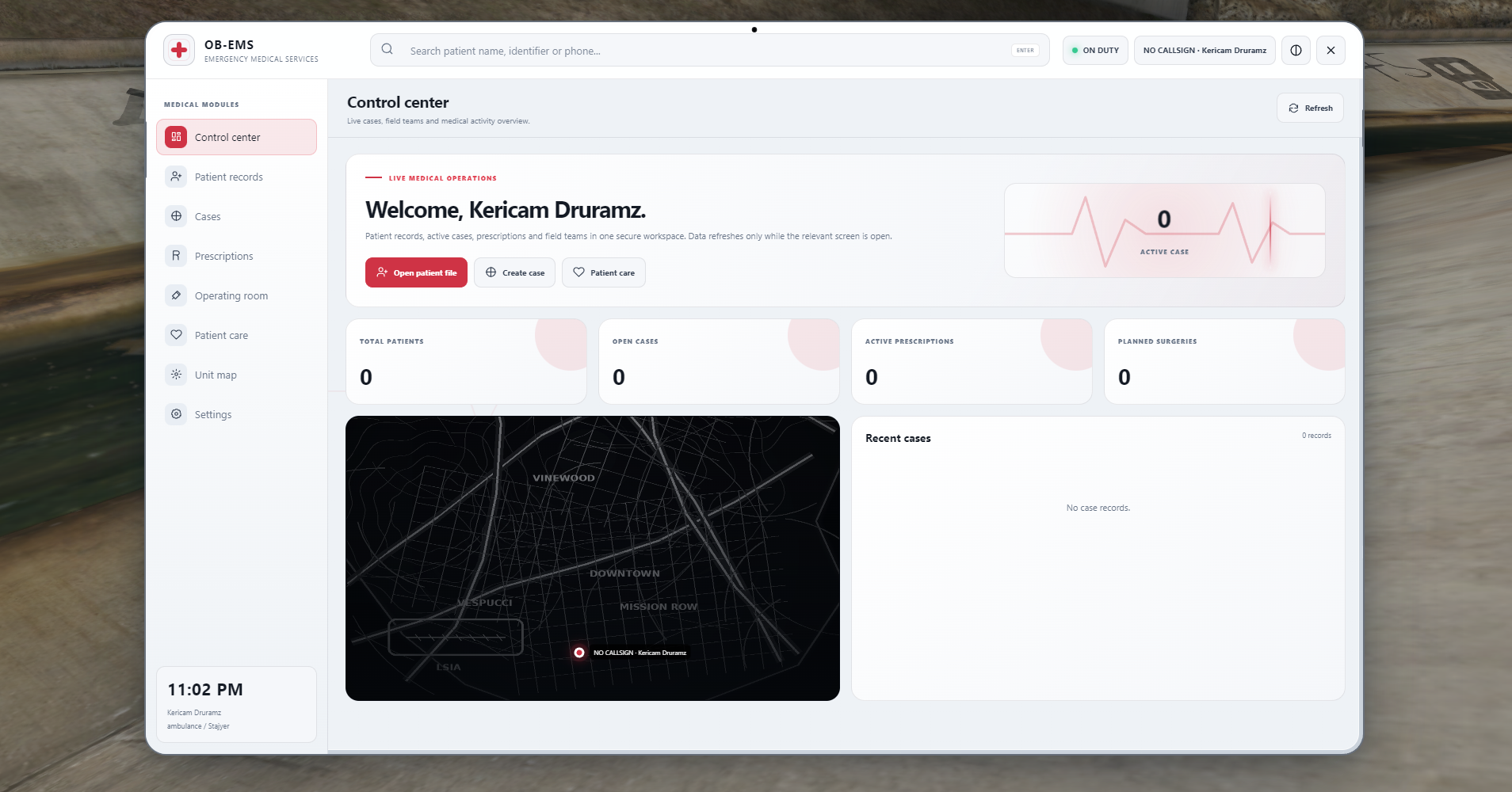
Control Center
The OB-EMS Control Center allows medical personnel to monitor the overall EMS situation through a single dashboard.
- Total patient count
- Open incident count
- Active prescriptions
- Scheduled surgeries
- Recent incidents
- Active personnel status
- Unit map
- Quick action buttons
Framework Compatibility
OB-EMS has been developed to support multiple FiveM frameworks and infrastructures.
- QBCore
- Qbox
- ESX
- TGIANN integration options
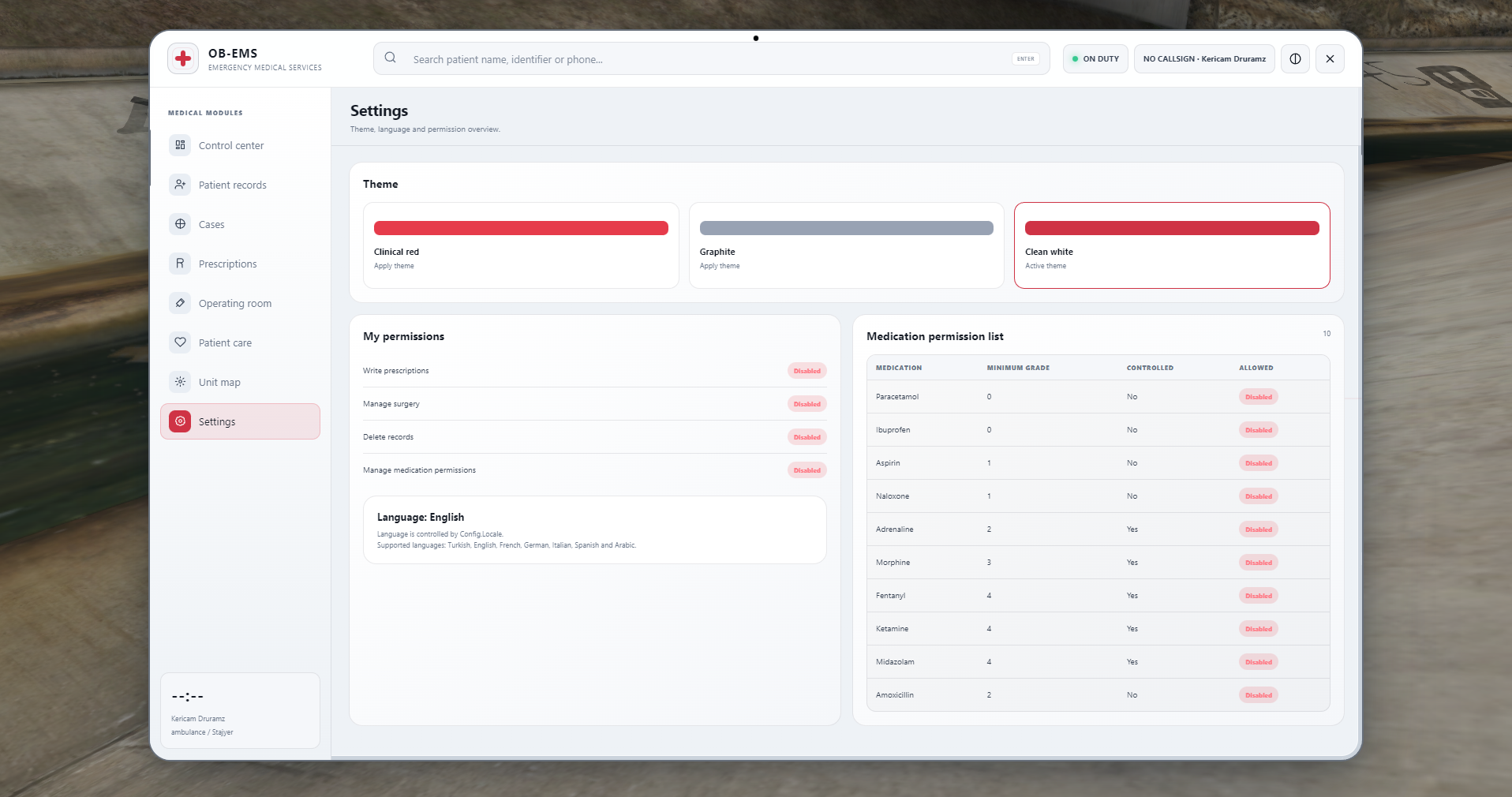
Framework, job, rank, and permission settings can be configured through the configuration files.
Language Support
OB-EMS includes a multilingual structure.
- Turkish
- English
- French
- German
- Italian
- Spanish
- Arabic
Language files can be edited, and additional languages can be added easily.
Performance and Security
The system has been optimized for servers with high player counts.
- Low client-side resource usage
- Optimized database queries
- Smooth and responsive tablet interface
- Server-side action validation
- Job, rank, and permission verification
- Secure data storage
- Protection against unauthorized and exploit-based actions
Customization Options
OB-EMS can be easily customized according to your server’s requirements.
- Custom logo
- Server name
- EMS department name
- Job configuration
- Authorized ranks
- Menu permissions
- Language settings
- Medication list
- Treatment options
- Hospital locations
- Ambulance and equipment settings
Package Contents
- OB-EMS Tablet system
- Patient records system
- Incident management system
- Prescription system
- Operating room system
- Trauma and treatment system
- Unit map
- F6 quick menu
- Equipment integration
- Multiple language files
- Configuration files
- SQL installation file
- Installation documentation
- Update support
Why Choose OB-EMS?
- Modern and professional user interface
- Realistic EMS roleplay experience
- Comprehensive patient records system
- Easy installation and configuration
- Multiple framework support
- Optimized for high-population servers
- Regular updates
- User-friendly design
- Server-side security controls
Installation
A detailed installation guide is included in the package.
General installation steps:
- Add the script files to your server’s
resources folder.
- Import the included SQL file into your database.
- Configure the framework and EMS job settings through the configuration file.
- Install the required dependencies.
- Add the resource start command to your
server.cfg file.
- Restart your server.
Support
Support is available for installation and usage-related issues.
Before creating a support ticket, please:
- Review the installation documentation.
- Make sure all required dependencies are installed.
- Verify your configuration settings.
- Prepare any relevant server-side and client-side console errors.