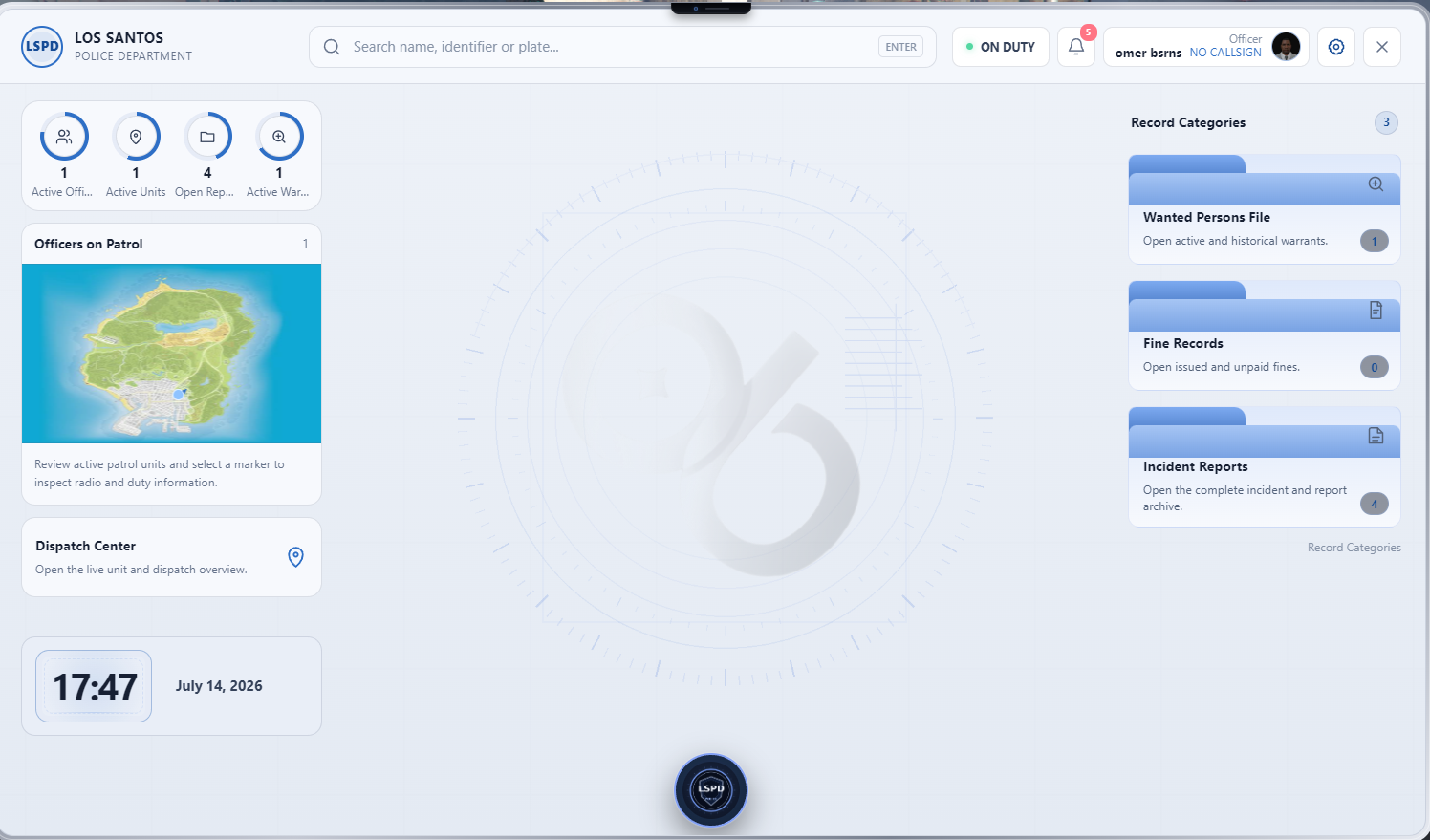
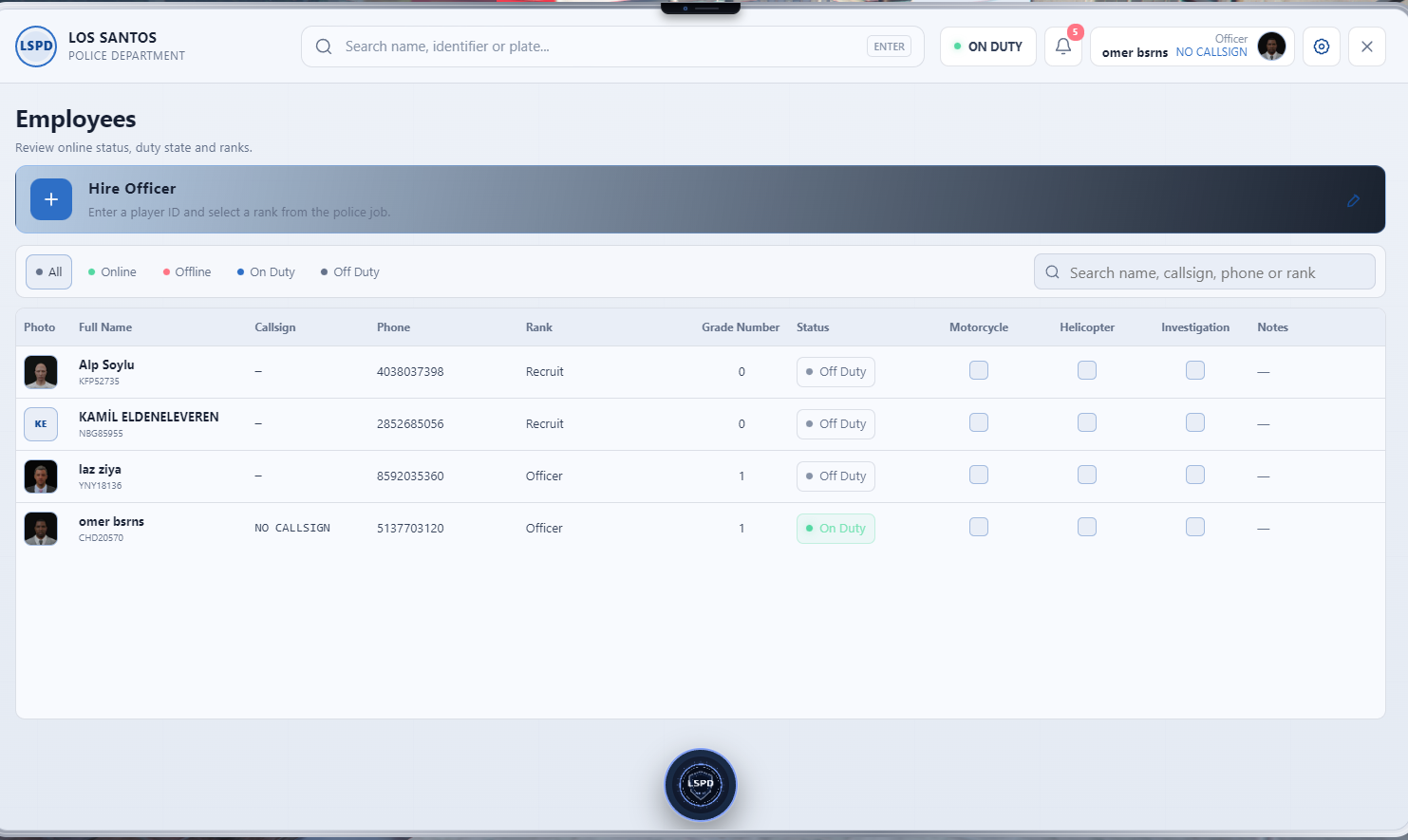
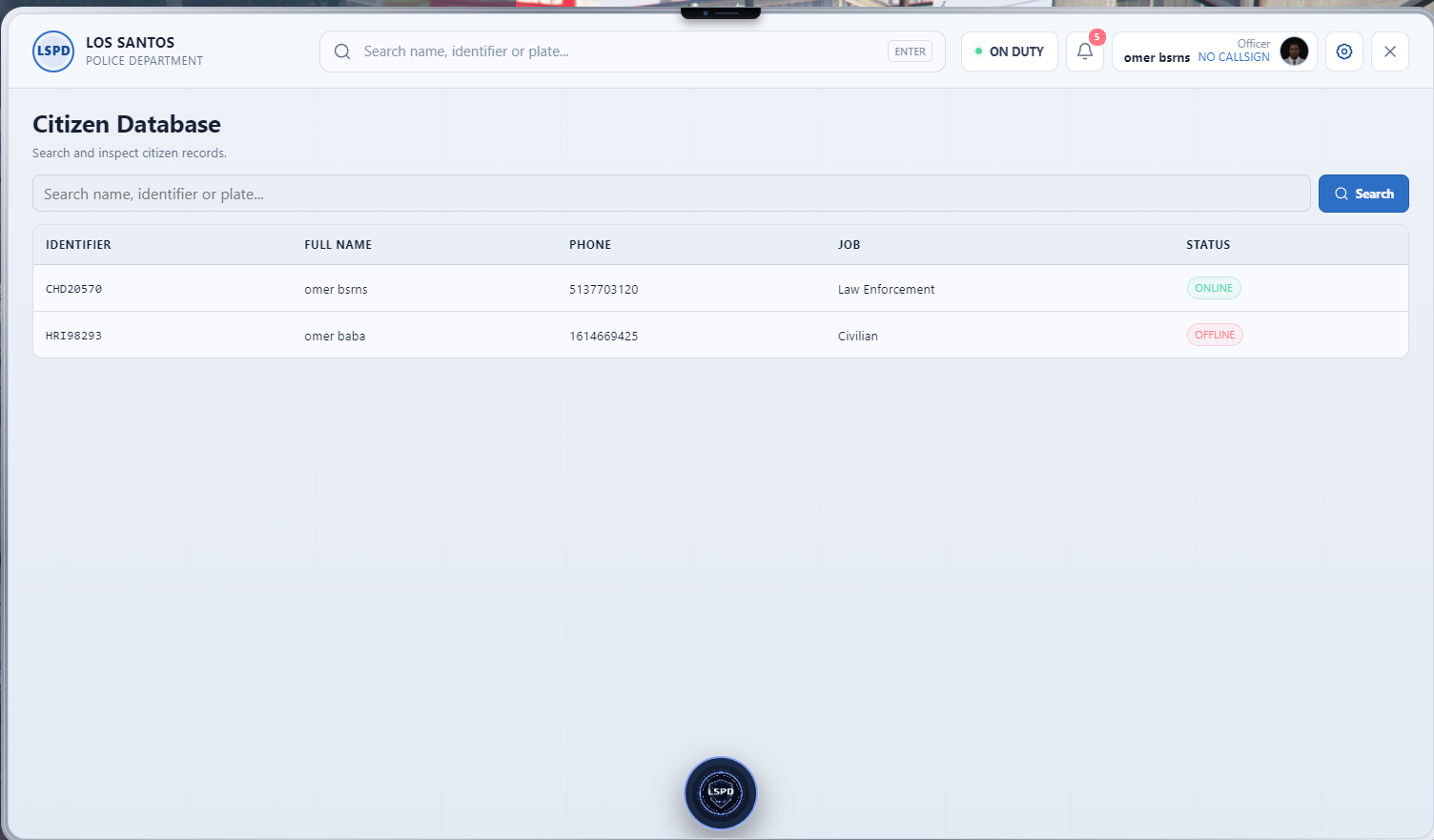
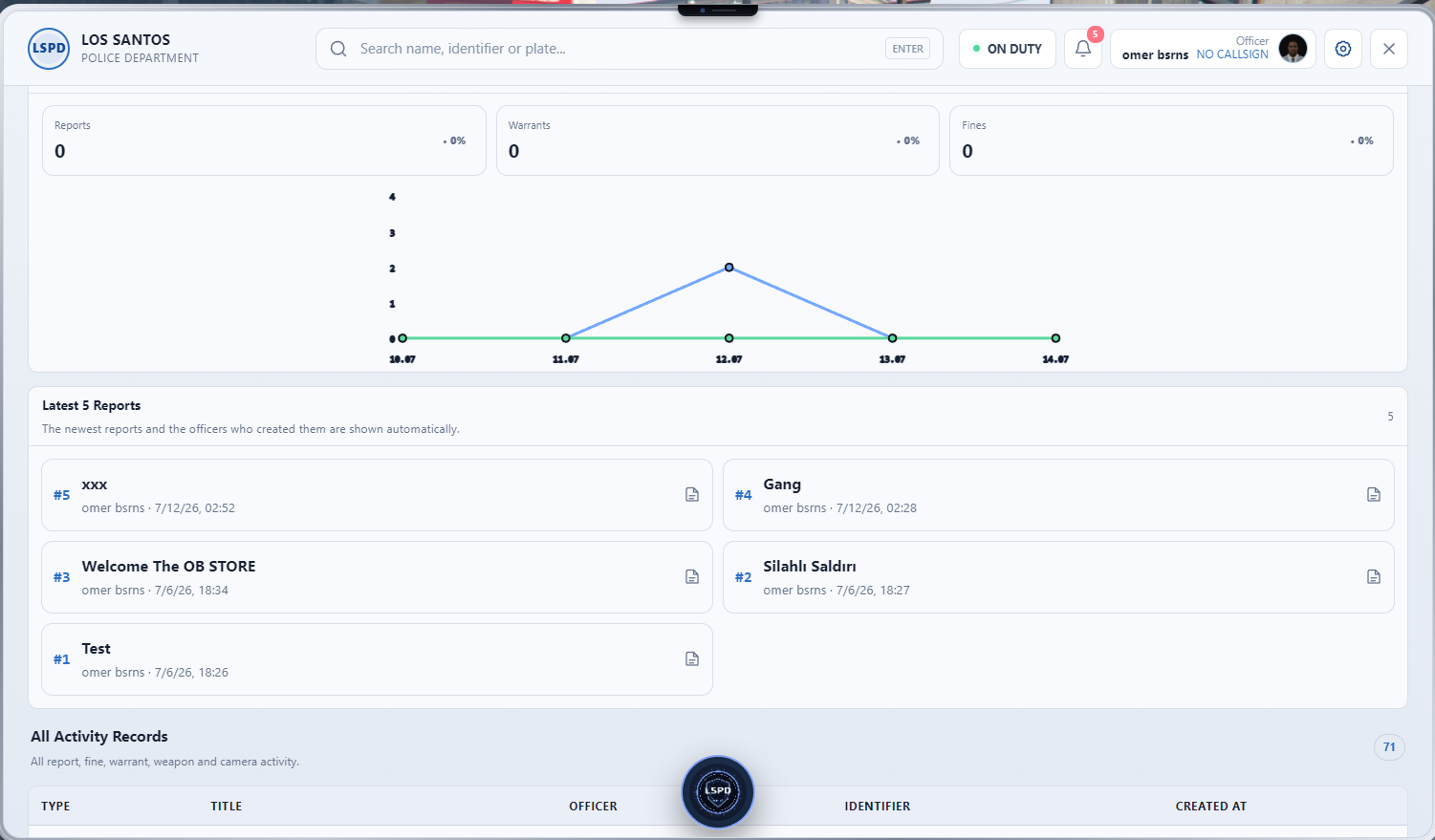
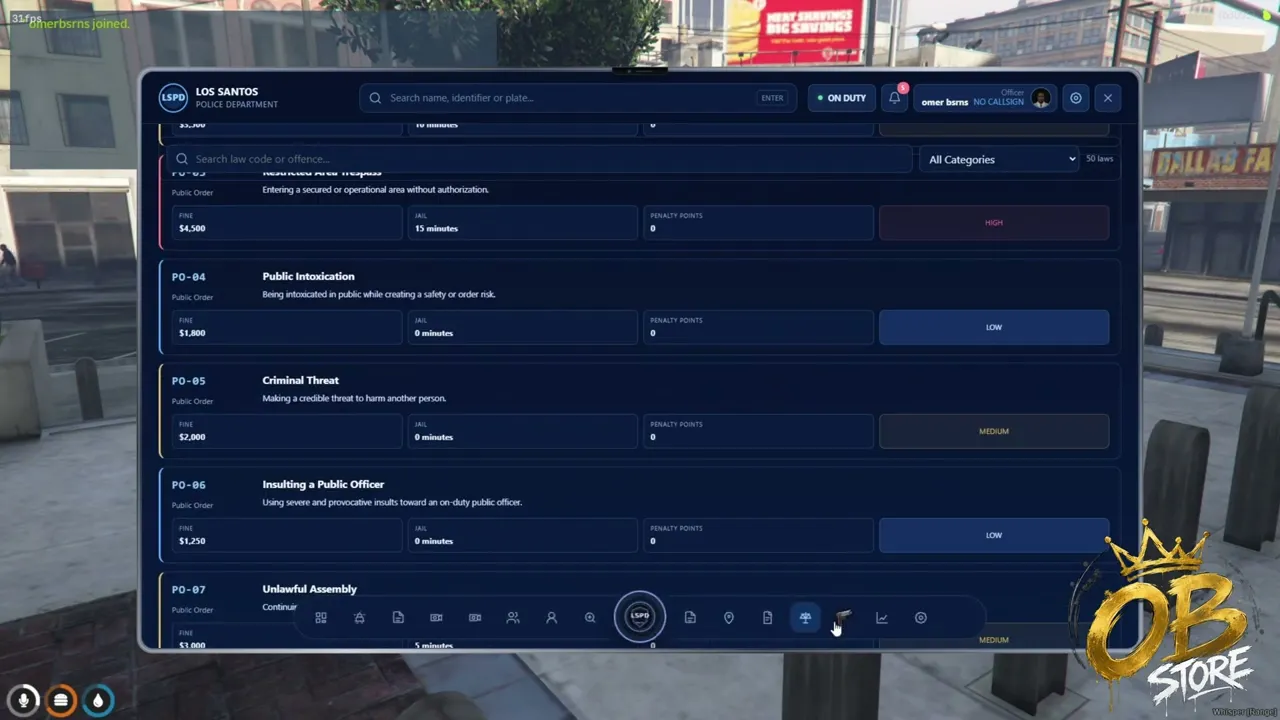
OB MDT is a professional, secure and comprehensive police management tablet developed for FiveM servers. It allows law enforcement departments to manage their daily operations through a single modern interface.
Officers can search and manage citizens, vehicles, license plates, weapon records, incident reports, fines, warrants, BOLO entries and active police units directly from the tablet.
OB MDT is designed to support QBCore, Qbox and ESX and can be adapted to different dispatch, garage, inventory and target systems.
Officers can search citizens using:
Citizen profiles may display:
Authorized officers can add notes, photographs, tags and special warnings to citizen profiles.
Vehicles can be searched by plate, registered owner or model.
Vehicle profiles may include:
Authorized officers can mark vehicles as stolen, create BOLO entries or add police notes.
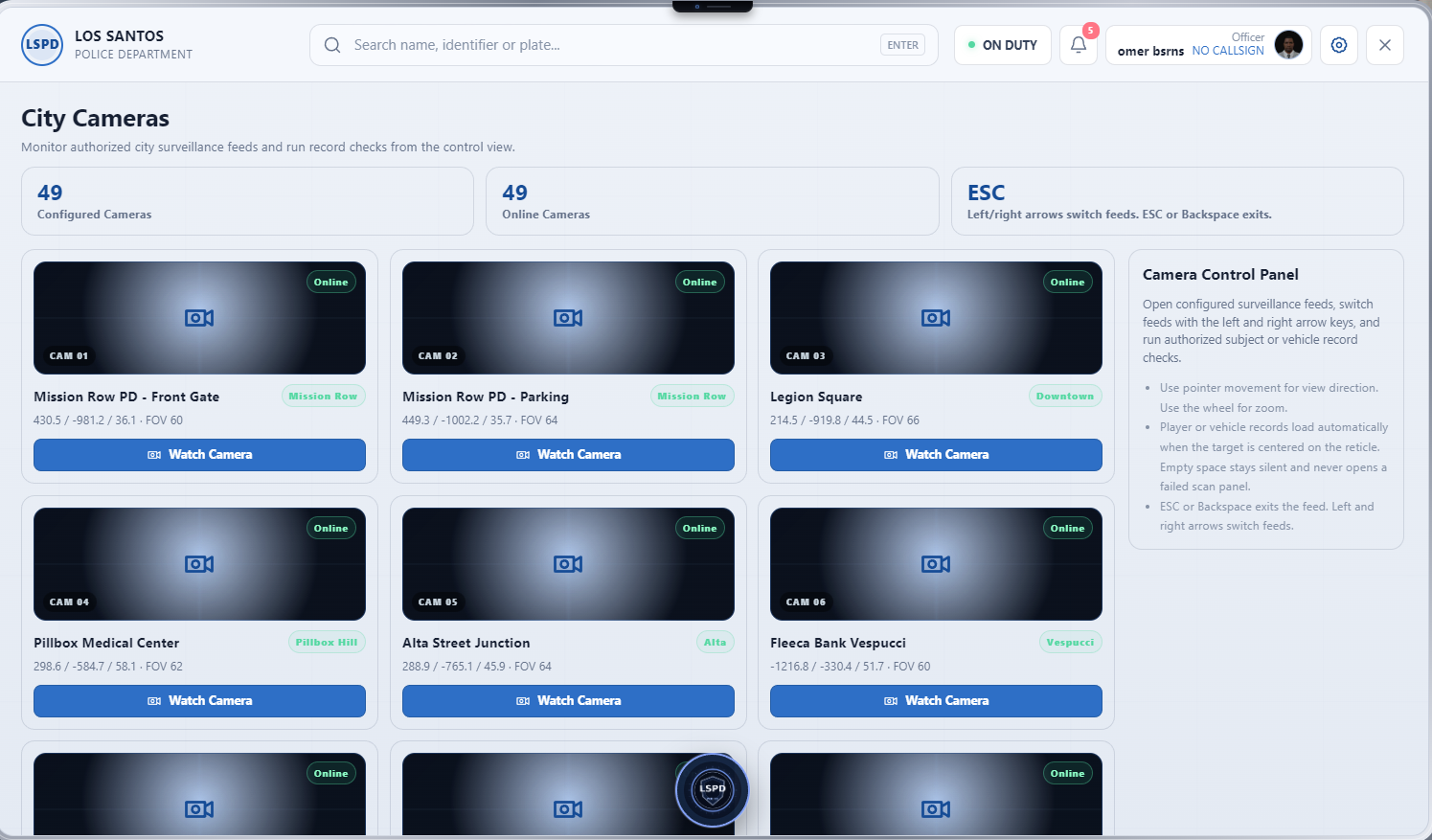
OB MDT is prepared for integration with compatible camera and dispatch systems.
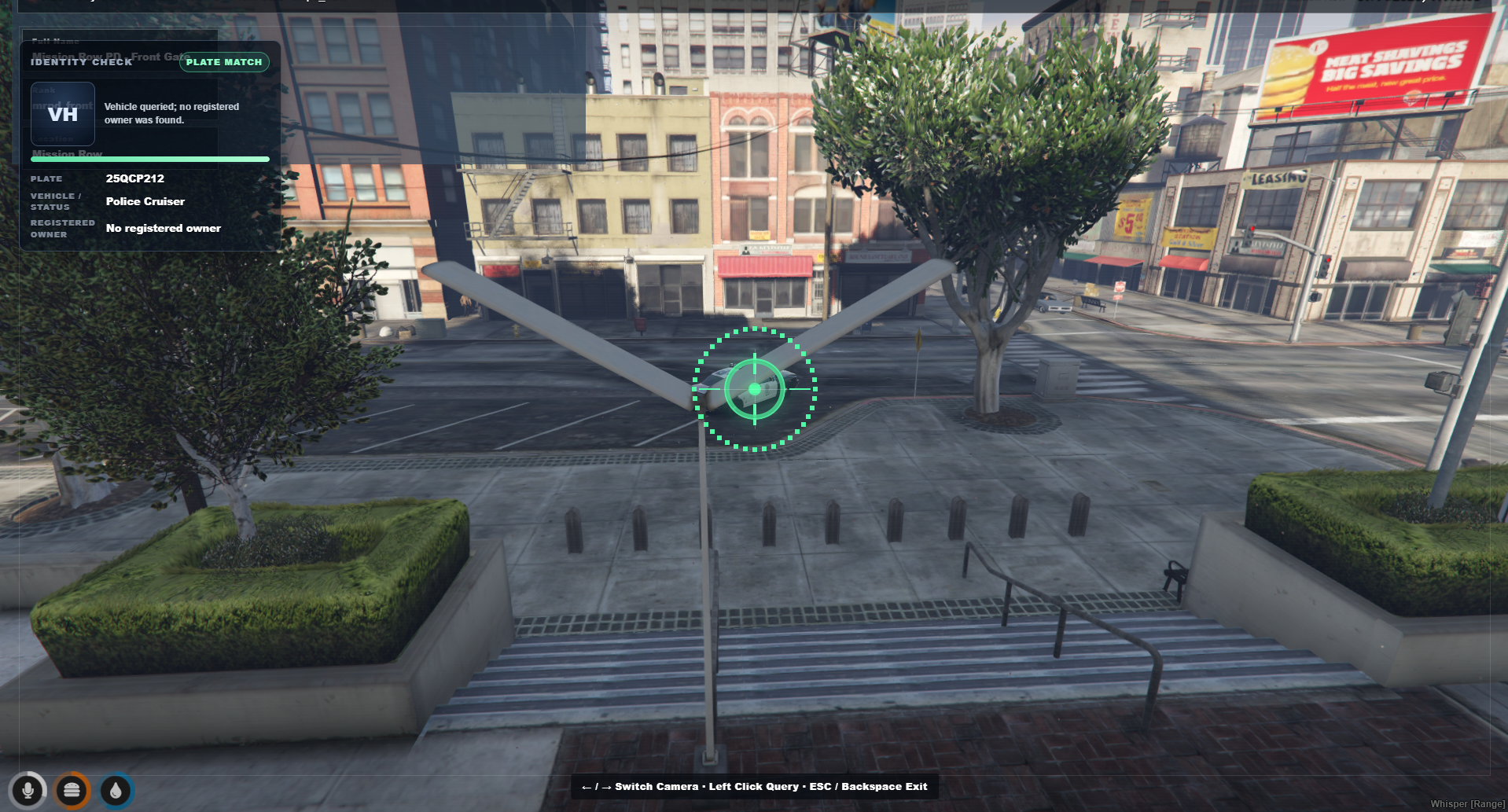
Supported camera-related functionality may include:
When a camera detects a wanted citizen, stolen vehicle or active BOLO target, an alert can be sent to active officers.
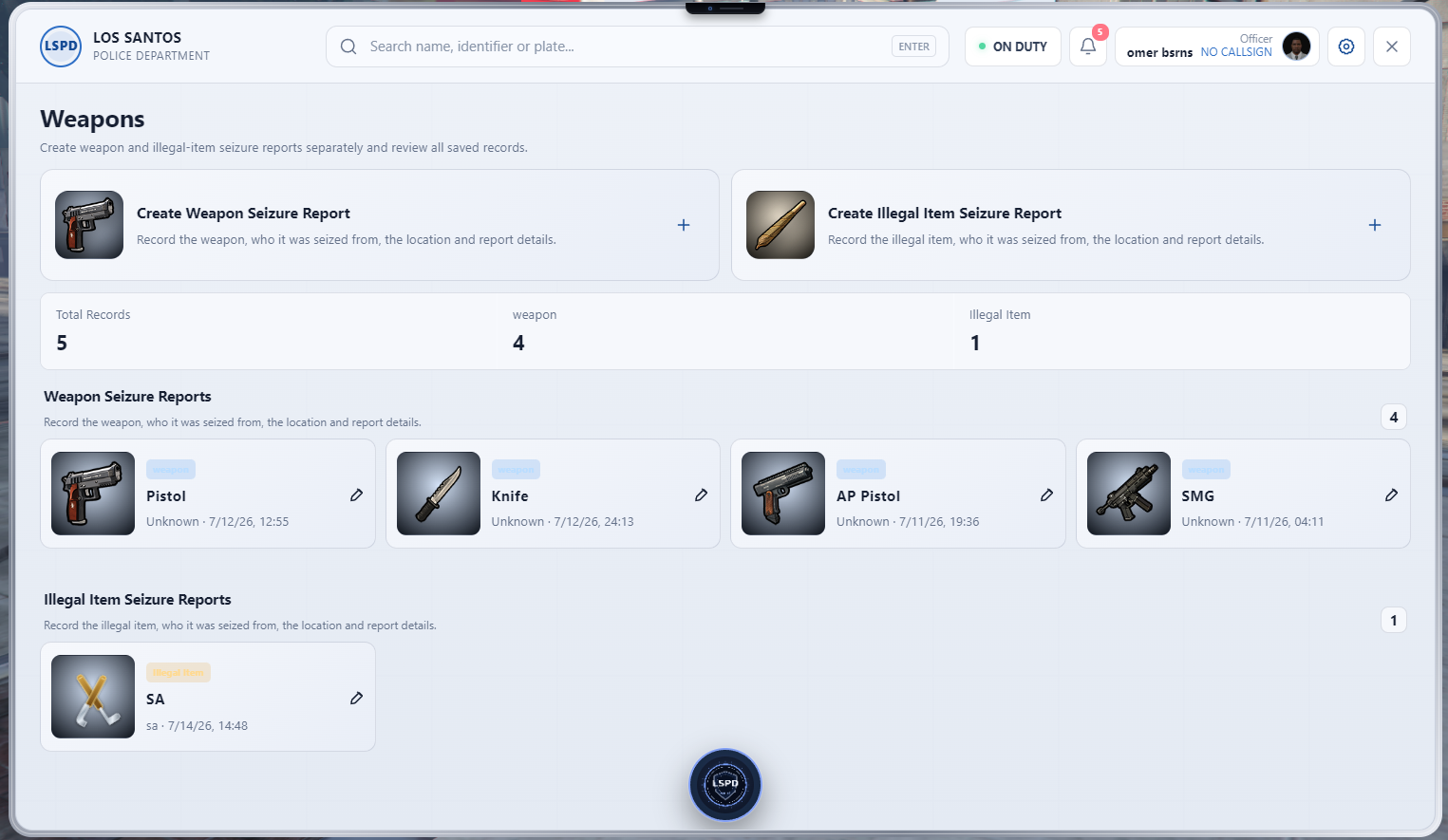
Officers can search weapons by serial number, registered owner or weapon type.
Weapon records may include:
Authorized personnel can mark a weapon as stolen, seized or stored as evidence.
Detailed reports can be created for incidents involving firearms.
Reports may include:
Weapon reports can be linked to citizens, vehicles, incidents and evidence records.
Officers can create detailed incident reports.
Reports may contain:
Reports can be saved as drafts, edited and closed by authorized officers.
Authorized officers can create warrants for citizens and vehicles.
Warrant information may include:
Active warrants are automatically displayed on citizen and vehicle profiles.
Officers can create BOLO records for citizens and vehicles.
BOLO entries may include:
Active BOLO entries can be displayed on the main dashboard and dispatch screen.
Officers can assign charges and penalties to citizens.
Supported information may include:
Charges and penalties can be managed through the configuration or administration system.
Evidence related to incidents can be registered and tracked.
Supported evidence types may include:
Each evidence record can store the receiving officer, location, date and chain-of-custody information.
Active police units can be displayed on the main dashboard.
Officers can be marked as available, busy, responding, in pursuit or in an emergency state.
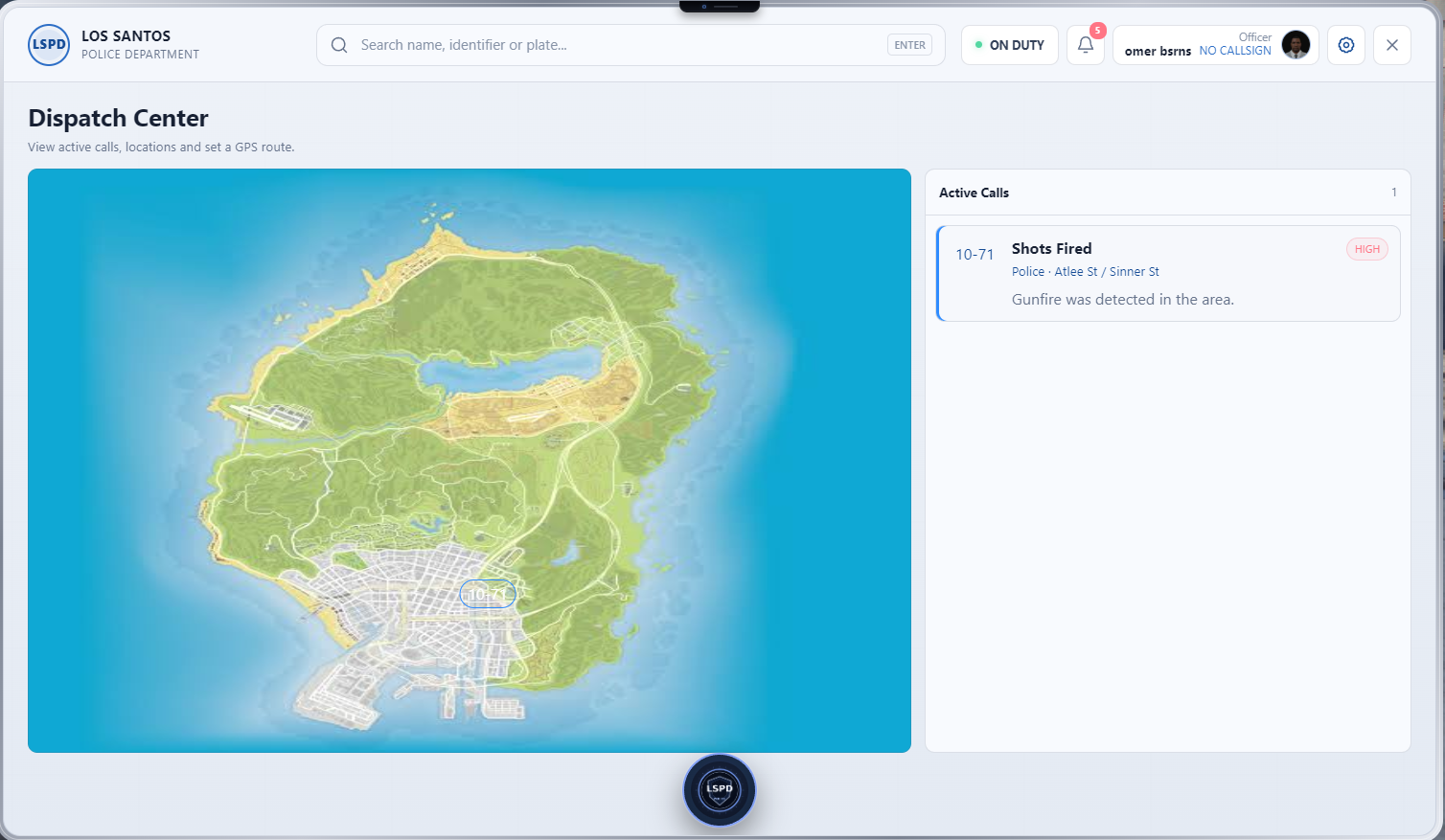
OB MDT can be adapted to different dispatch systems.
Potential integrations include:
Dispatch calls can be displayed inside the tablet, and officers can create a GPS route directly from a call.
Custom notes can be added to citizens, vehicles, weapons and reports.
Example warning tags:
Access to tags can be restricted by department, rank and permission.
Authorized supervisors can review actions performed inside the MDT.
Logged actions may include:
The audit screen can be restricted to high-ranking personnel through the configuration.
Permissions can be configured based on job, department and rank.
Example permissions:
All important permissions are validated on the server side.
OB MDT includes server-side protections against abuse and event manipulation.
The resource is designed with low resource usage in mind.
Actual resource usage may vary depending on the selected framework, database size, integrations and server configuration.
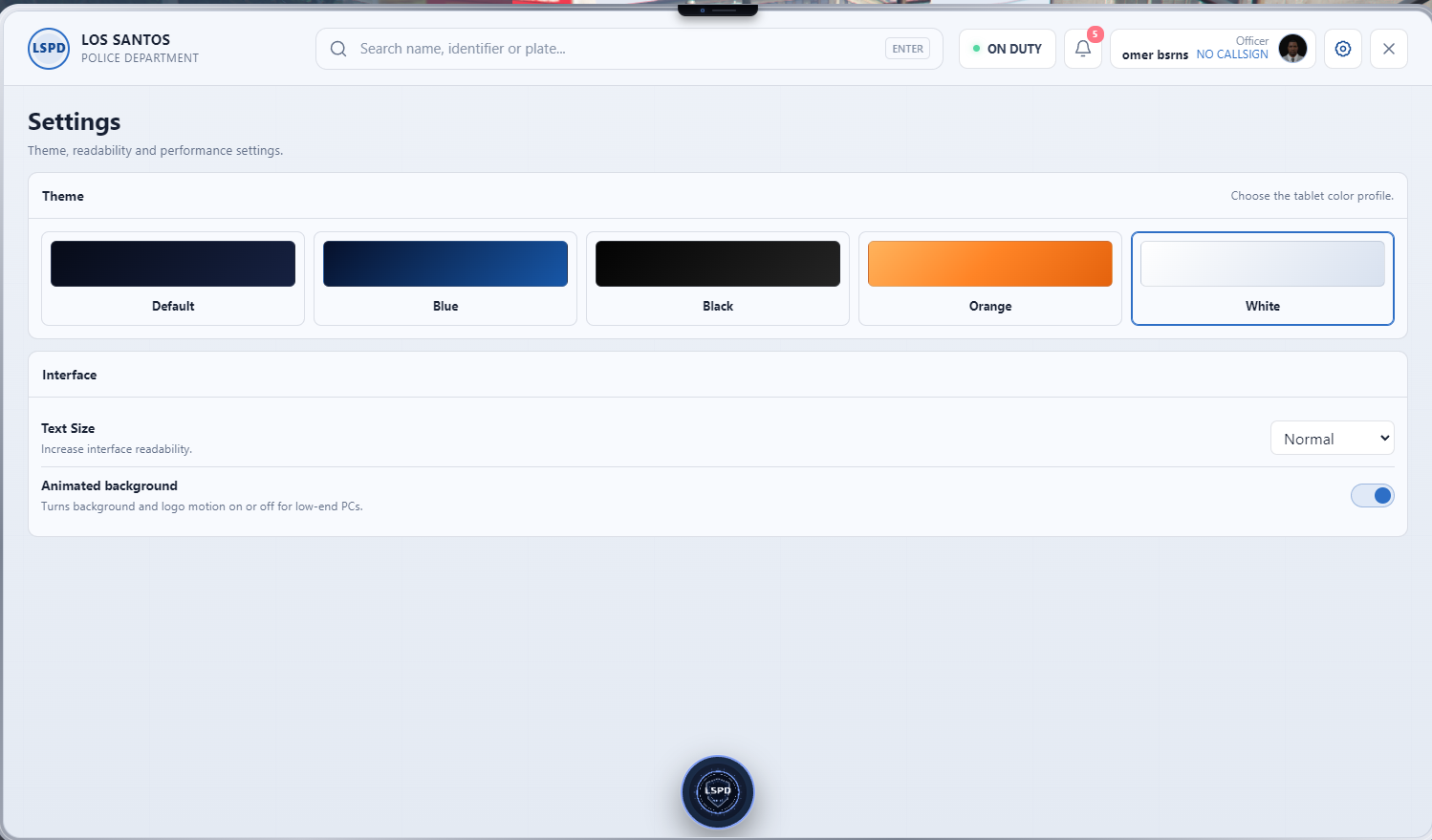
The following settings can be configured:
The tablet can be opened through:
/mdt commandOB MDT can be packaged for the FiveM Asset Escrow system. Configuration, locale and required integration files can remain editable.
Kesinlikle olmalı. Polis MDT’sinde bodycam yoksa memur hâlâ olayları “vallahi böyle oldu” yöntemiyle açıklıyor demektir. Mevcut Tebex açıklamasına aşağıdaki bölümleri ekleyebilirsin.
OB MDT, aktif görevdeki polis memurlarının bodycam kayıtlarını ve uyumlu kamera sistemlerini tek merkezden yönetebilen gelişmiş bir kamera modülü içerir.
Yetkili personel, rütbe izinlerine bağlı olarak aktif bodycam yayınlarını MDT üzerinden görüntüleyebilir.
Aktif memurların bodycam durumunu görüntüleme
Canlı bodycam yayını izleme
Bodycam kayıt başlatma ve durdurma
Memur adı, çağrı kodu ve birim bilgisi
Kayıt tarihi ve saati
Canlı konum bilgisi
Görev ve dispatch durumu
Bodycam bağlantı durumu
Kayıt süresi
Önemli anları işaretleme
Kayıtlara açıklama ve etiket ekleme
Bodycam kaydını olay raporuna bağlama
Bodycam kaydını delil olarak işaretleme
Yetkili rütbeler için kayıt arşivi
Tarih, memur, olay ve birime göre kayıt arama
Yetkisiz personelin görüntülere erişmesini engelleme
Bodycam ekranında yalnızca aktif ve izin verilen memurlar görüntülenir. Erişim yetkileri departman, meslek ve rütbeye göre config üzerinden düzenlenebilir.
Tamamlanan bodycam kayıtları arşiv sisteminde saklanabilir.
Her kayıt içerisinde şu bilgiler bulunabilir:
Kayıt numarası
Memur adı
Memur çağrı kodu
Departman
Birim numarası
Başlangıç zamanı
Bitiş zamanı
Kayıt süresi
Olay konumu
İlgili dispatch çağrısı
İlgili olay raporu
İlgili vatandaşlar
İlgili araçlar
İlgili silahlar
Kayıt açıklaması
Delil durumu
İzleyen yetkililerin audit kayıtları
Kayıtlar silinmeye, düzenlenmeye veya delil olarak kullanılmaya karşı rütbe bazlı yetki kontrolüne tabi tutulabilir.
Polis araçlarında bulunan kamera sistemleri OB MDT ile entegre edilebilir.
Polis aracının ön kamerasını görüntüleme
Arka kamera desteği
Aktif araç kameralarını listeleme
Araç plakası ve birim numarası gösterimi
Araçtaki görevli memurları görüntüleme
Canlı kamera yayını
Kamera kayıtlarını olay raporuna bağlama
Şüpheli araç görüntüsünü kaydetme
Plaka tanıma sistemi entegrasyonu
Çalıntı araç tespiti
Aktif BOLO eşleşmesi
Aranan araç uyarısı
Son tespit zamanı ve konumu
Dispatch çağrısıyla kamera kaydını ilişkilendirme
Araç kameraları, şehir kameraları, bodycam ve plaka tanıma sistemleri aynı kamera yönetim ekranında görüntülenebilir.
OB MDT, aktif olayların gerçek zamanlı olarak takip edilmesini sağlayan canlı rapor sistemine sahiptir.
Bir memur rapor üzerinde değişiklik yaptığında, yetkili diğer memurlar yapılan güncellemeleri sayfayı yenilemeden görüntüleyebilir.
Aktif olayları gerçek zamanlı görüntüleme
Raporların anlık olarak güncellenmesi
Birden fazla memurun aynı olay üzerinde çalışabilmesi
Rapora katılan memurların görüntülenmesi
Canlı olay zaman çizelgesi
Şüpheli, mağdur ve tanık ekleme
Araç ve plaka ekleme
Silah ve seri numarası ekleme
Delil ekleme
Bodycam kaydı ekleme
Kamera görüntüsü ekleme
Fotoğraf ve belge ekleme
Dispatch çağrısını rapora bağlama
Olay konumunu haritada gösterme
Olay durumunu değiştirme
Memur notlarını anlık paylaşma
Rapor değişiklik geçmişi
Raporu taslak, aktif, incelemede veya kapalı olarak işaretleme
Raporlar aşağıdaki durumlarla yönetilebilir:
Yeni olay
Birim yönlendirildi
Memur olay yerinde
Takip devam ediyor
Şüpheli gözaltında
Delil toplanıyor
Sağlık ekibi talep edildi
İnceleme devam ediyor
Rapor hazırlanıyor
Olay kapatıldı
Durum değişiklikleri ilgili memurlara ve dispatch ekranına anlık olarak yansıtılabilir.
Yetkili polis yöneticileri, devam eden operasyonları tek bir ekran üzerinden takip edebilir.
Operasyon merkezinde şu bilgiler görüntülenebilir:
Aktif olaylar
Aktif dispatch çağrıları
Görevdeki memurlar
Aktif polis birimleri
Canlı bodycam bağlantıları
Aktif araç kameraları
Şehir kameraları
Aranan kişiler
Çalıntı araçlar
Aktif BOLO kayıtları
Aktif arama kararları
Son plaka tespitleri
Memurların durumları
Birimlerin son konumları
Olayların öncelik seviyeleri
Yetkili personel, operasyon ekranı üzerinden birim atayabilir, GPS konumu belirleyebilir ve canlı olay raporunu açabilir.
Her olay raporu için otomatik bir zaman çizelgesi oluşturulabilir.
Zaman çizelgesine şu işlemler kaydedilebilir:
Dispatch çağrısının oluşturulması
Birim atanması
Memurun olay yerine ulaşması
Bodycam kaydının başlatılması
Şüphelinin tespit edilmesi
Araç veya plaka sorgulaması
Silah tespiti
Delil eklenmesi
Şüphelinin gözaltına alınması
Ceza yazılması
Arama kararı oluşturulması
Raporun güncellenmesi
Olayın kapatılması
Bu sistem, olayın başlangıcından kapanışına kadar yapılan bütün işlemlerin düzenli biçimde takip edilmesini sağlar.
Kamera sistemi, tanımlanan kayıtlarla eşleşme olduğunda otomatik uyarı oluşturabilir.
Çalıntı araç
Aranan plaka
Aktif BOLO kaydı
Hakkında arama kararı bulunan vatandaş
Tehlikeli olarak işaretlenmiş kişi
Kayıp kişi
Ruhsatsız veya kayıt dışı araç
Polis tarafından takip edilen araç
İlgili olayda kullanılan araç
Uyarı içerisinde kamera adı, konum, tespit zamanı, plaka, araç bilgisi ve ilgili kayıt bağlantısı görüntülenebilir.
Bodycam, araç kamerası ve şehir kamerası kayıtları aşağıdaki kayıtlarla ilişkilendirilebilir:
Olay raporu
Vatandaş profili
Araç kaydı
Silah kaydı
BOLO kaydı
Arama kararı
Ceza kaydı
Dispatch çağrısı
Balistik raporu
Delil dosyası
Bu sayede bütün olay verileri tek bir dosya içerisinde düzenli şekilde tutulabilir.
OB MDT includes an advanced camera management module designed to manage officer bodycams and compatible camera systems from a single interface.
Authorized personnel can view active bodycam feeds through the MDT based on department and rank permissions.
View active officer bodycam status
Watch live bodycam feeds
Start and stop bodycam recordings
Officer name, callsign and unit information
Recording date and time
Live location information
Duty and dispatch status
Bodycam connection status
Recording duration
Mark important moments
Add descriptions and tags
Link recordings to incident reports
Mark recordings as evidence
Recording archive for authorized ranks
Search by officer, unit, incident or date
Prevent unauthorized access
Only active and authorized officer feeds are displayed. Permissions can be configured by department, job and rank.
Completed bodycam recordings can be stored in the archive system.
Each recording may contain:
Recording number
Officer name
Officer callsign
Department
Unit number
Start time
End time
Recording duration
Incident location
Related dispatch call
Related incident report
Related citizens
Related vehicles
Related weapons
Recording description
Evidence status
Audit history of authorized viewers
Recording deletion, modification and evidence access can be restricted through rank-based permissions.
Police vehicle camera systems can be integrated with OB MDT.
View front vehicle camera
Rear camera support
List active police vehicle cameras
Display vehicle plate and unit number
Display assigned officers
Live camera feed
Link recordings to incident reports
Save suspicious vehicle footage
License plate recognition integration
Stolen vehicle detection
Active BOLO matching
Wanted vehicle alerts
Last detection time and location
Link recordings to dispatch calls
Vehicle cameras, city cameras, bodycams and plate recognition systems can be managed from the same camera interface.
OB MDT includes a live report system that allows active incidents to be followed in real time.
When an officer updates a report, authorized officers can see the changes without refreshing the page.
View active incidents in real time
Instant report updates
Multiple officers working on the same incident
Display officers assigned to the report
Live incident timeline
Add suspects, victims and witnesses
Add vehicles and license plates
Add weapons and serial numbers
Add evidence
Attach bodycam recordings
Attach camera footage
Add photographs and documents
Link dispatch calls
Display incident location on the map
Change incident status
Share live officer notes
Report modification history
Mark reports as draft, active, under review or closed
Reports can use statuses such as:
New incident
Unit dispatched
Officer on scene
Pursuit in progress
Suspect detained
Evidence collection
Medical assistance requested
Investigation in progress
Report being prepared
Incident closed
Status changes can be reflected instantly to assigned officers and the dispatch interface.
Authorized supervisors can monitor ongoing operations from a single screen.
The operations center may display:
Active incidents
Active dispatch calls
On-duty officers
Active police units
Live bodycam connections
Active vehicle cameras
City cameras
Wanted citizens
Stolen vehicles
Active BOLO records
Active warrants
Recent plate detections
Officer statuses
Last known unit locations
Incident priority levels
Authorized personnel can assign units, set GPS locations and open live incident reports directly from the operations center.
An automatic timeline can be created for every incident report.
The timeline may record:
Dispatch call creation
Unit assignment
Officer arrival
Bodycam activation
Suspect identification
Vehicle or plate search
Weapon detection
Evidence creation
Suspect detention
Fine issuance
Warrant creation
Report updates
Incident closure
This provides a complete history of the incident from the initial dispatch call to final closure.
The camera system can create automatic alerts when a detection matches an existing record.
Stolen vehicle
Wanted license plate
Active BOLO record
Citizen with an active warrant
Citizen marked as dangerous
Missing person
Unregistered vehicle
Vehicle under police surveillance
Vehicle connected to an incident
Alerts may display the camera name, location, detection time, plate, vehicle information and a direct link to the related MDT record.
Bodycam, dashcam and city camera footage can be linked to:
Incident reports
Citizen profiles
Vehicle records
Weapon records
BOLO entries
Warrants
Fine records
Dispatch calls
Ballistics reports
Evidence files
This allows all relevant information, recordings and evidence to remain connected inside a single case file.
